Menu

Show posts

This section allows you to view all posts made by this member. Note that you can only see posts made in areas you currently have access to.

Show posts Menu

Messages - DeriLoko2

#1
Here is what I did recently.

Using the Unity Project, I highlighted the model, and I clicked GameObject -> Export to FBX.


I used these settings, and I clicked Export.


I first exported the ASCII FBX format, and when I imported the ASCII FBX format in Blender, it did not work.

Using Export to FBX, I exported the Binary FBX format.


I had to import the Binary FBX format in Blender.


After I did that, it came out like this.


FBX animation file in Blender.

Archive File Size: 968,596 Bytes
Password: 3#thQ\bWSkq;cz]x

https://jumpshare.com/v/Te0m7PnPcpNUGBVQeOOZ


I want to view the Pokemon (Pocket Monsters) 3DS-or-Switch animations in BrawlBox or BrawlCrate. Also, I got some information from soopercool101 from GitHub, and that user stated that I need to convert the .anim Unity file to the .anim Blender-or-Maya file with either Blender or Maya.

Now, I use Blender (v2.91) and Windows 10 (64-bit) (v10.0.19041.1052).
#2
Is there a way to import or export the 3DS-or-Switch animations into BrawlBox or BrawlCrate?

I have Blender and BrawlCrate now.
#3
Help / BrawlBox (v0.76b) Error?
January 17, 2016, 04:27:58 AM
I opened up Brawlbox and it gave me the error.


I tried reinstalling BrawlBox, but it did not work. I do not know what exactly happened to Brawlbox. I did not do anything wrong with Brawlbox. It just crashed.

I use BrawlBox (v0.76b) (Hotfix 2).
#4
Help / Brawlbox (v0.76b) (Hotfix 2) Not Working?
January 08, 2016, 04:47:48 AM
I opened up that program and it gave me the error.


I reinstalled BrawlBox, but it did not work. I used BrawlBox for many months, and it goes down to the error. I do not know what exactly happened to Brawlbox. I did not do anything wrong with Brawlbox. It just crashed.

Sorry for posting the same post in the different section.
#5
Quote from: iwantgames on June 29, 2015, 03:00:54 AM
just to be sure, u used the import folder option for BB?

if so then you may have to use an older version of BB then. I use BB .75b and importing textures works fine for me.
Okay. I figured this error out. When you see only the CI8 texture encode, it means that you are about to have a texture importing error. Any other texture encodes works okay.
#6
Quote from: iwantgames on June 28, 2015, 04:14:09 AM
as an alternative you can try importing the whole folder of textures instead of doing one at a time. not sure if it will still give you the error or not halfway through, haven't tried importing textures with that version of BB. still worth trying
I tried importing all textures using a folder and it did not work. That gives me the same error.
#7
There is a "Texture Importing" error in BrawlBox (v0.76)(Hotfix 3).

http://youtu.be/bb9KQ93P8GY
#8
Programming / Re: BrawlBox 0.76
June 24, 2015, 09:12:25 PM
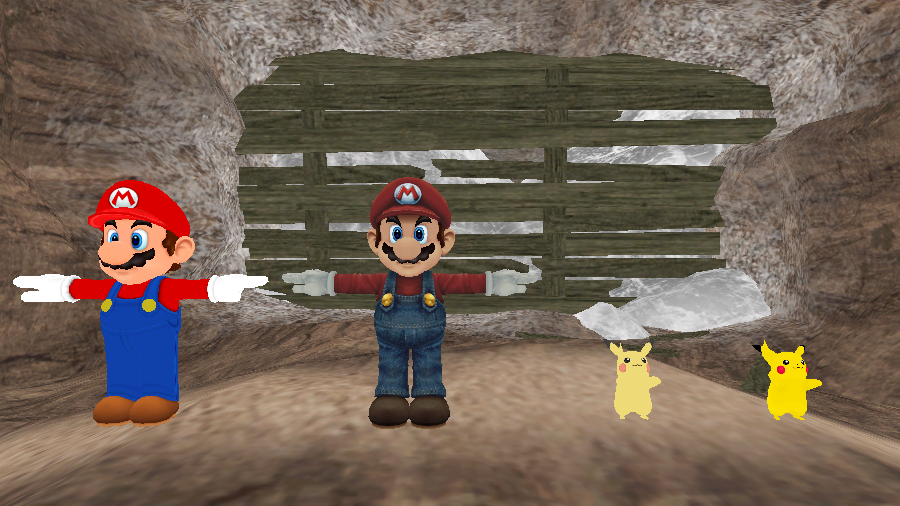
Okay. This is what happened so far.


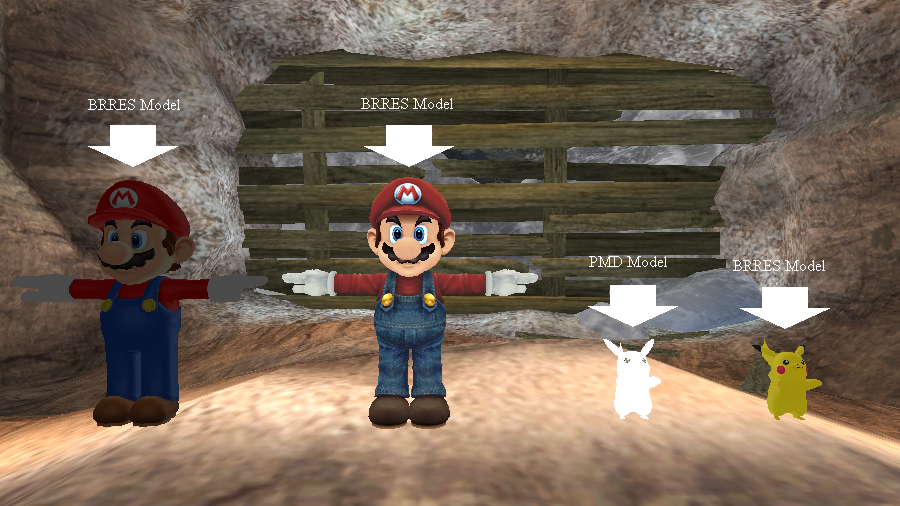
I turned off the shaders and it came out like this.


Can anyone explain to me what is going on with the shaders?
#9
Programming / Re: BrawlBox 0.76
May 29, 2015, 07:03:58 PM
That is odd. I imported the PMD model in Brawlbox (v0.76)(Hotfix 3) and it came out like this.

I used Windows 8.1.
#10
Programming / Re: BrawlBox 0.75b
May 22, 2015, 11:25:35 PM
Quote from: BlackJax96 on May 22, 2015, 10:11:55 PM
Also make sure Target Model -> Edit All is checked, unless you want to load the SCN0 on only one model at a time.
I unchecked "Edit All." Did the "Light shining on a character with shaders" thing work?
#11
Programming / Re: BrawlBox 0.75b
May 22, 2015, 06:30:24 PM
I have found the one small thing that is missing. The light is not shining on a character that has shaders. Here is proof. (Take a look at the top and bottom parts of the image.):


I am using Brawlbox v0.76 (Hotfix 2).
#12
I took 3 screenshots. One was different. Two of them are the same. One came out differently, but if I took another screenshot, which is different, the previous screenshot I took came out to be the same.

Different Screenshot:


Another Different Screenshot That Came Out to Be the Same:


I used Brawlbox v0.73b.
#13
Help / Brawlbox - PMX File Extension?
February 22, 2015, 08:36:31 AM
For many months, I have been waiting for a PMX File Extension. Is it there?
#14
Help / PMD Importing Error on BrawlBox v0.74
December 31, 2014, 06:47:19 AM
I imported a .pmd file and it came out like this:

#15
I tried putting two models with textures. The problem is the eye. How can I figure that out? Maybe the part of the texture went inverted or something. Also, do TextureTranslations work on textures? Because if I do that, nothing really happened. If I put a big number in there, something happened. What am I supposed to do with the TextureScale? I did it right, did I?