Menu

Show posts

This section allows you to view all posts made by this member. Note that you can only see posts made in areas you currently have access to.

Show posts Menu

Messages - extreme.brawl

#1
Help / Re: how to edit module (.rel) files with hexing
December 29, 2010, 06:19:14 PM
Quote from: Gamma Ridley on December 29, 2010, 05:54:23 AM
I've actually never really tried it myself, so I hope it works for the OP. ^_^;

Stage Switcher seems to be a useful application. I had tried it previously but at this moment I can't use it due to some problems with my .Net version.

Anyway, your help is appreciated :D
#2
Help / Re: how to edit module (.rel) files with hexing
December 29, 2010, 06:16:00 PM
Quote from: (specter) on December 29, 2010, 05:51:47 AM
Quote from: Gamma Ridley on December 29, 2010, 05:44:38 AM
Why hex it when there's a program that does it automatically? Maybe I missed the point....

I don't know lol just go along with the topic. He wants to know how to hex edit, so I give him the info necessary to do so. Unless he isn't aware such a program exist, which by all means let him know of it.

Also, Stage Switcher doesn't work for me as it always gives me the error "could not find file '/rel'.".

Thanks, it worked. I thought it would be more time-consuming.
#3
Help / how to edit module (.rel) files with hexing
December 29, 2010, 04:55:46 AM
I have all the necessary stuff to do it. I only want someone to explain me what to search and change in the .rel files in order to use a custom stage based in battlefield which I want to use wherever; let's say hanebow (electroplankton).

Can I replace characters hexing their respective .rel files too?

Thanks.
#4
Help / Re: how to edit face pattern bones
July 23, 2010, 02:46:07 AM
Quote from: LordNOaH on July 22, 2010, 11:44:48 PM
you gotta edit the polygons, not the bones.
check/unckeck the polygons till you find which ones you don't want, then hex them out. tutorial here somewhere.
http://www.youtube.com/user/kittycorpmeowmix

thanks again
#5
Help / how to edit face pattern bones
July 22, 2010, 11:29:36 PM
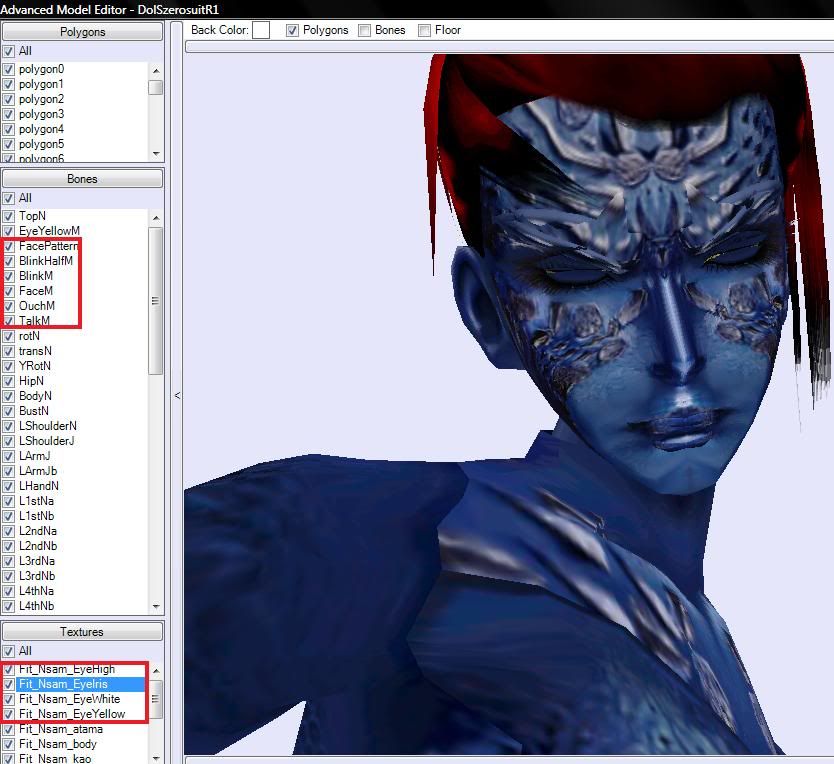
How do I edit these bones: BlinkHalfM, BlinkM, FaceM, OuchM, etc.  They aren't shown in the t-pose nor the character animations.

I don't want to have double blinks, closed eyes and those strange lips in the standard pose.  

#6
Help / Re: in game portraite deleting
July 22, 2010, 11:14:05 PM
download the shadow pack again, and look for the folder you need. It must be the same in the downloaded archive and your files for the game.
#7
Help / Re: Help changin trophies' models
July 22, 2010, 03:59:42 PM
Quote from: RandomTBush on July 22, 2010, 08:43:45 AM
I'm pretty sure it has to do with the flags for the bones. Try using a hex editor to change the flag values of the bones that won't move to the ones of the bones that will move.

Oh man, I love ya!!!  :kdance:
In fact all the bones with a value of 792 can be moved. So should I only put 792 in all the bones hexin' the model?
#8
Help / Re: Help changin trophies' models
July 22, 2010, 03:54:05 AM
Quote from: LordNOaH on July 21, 2010, 12:09:41 PM
are you using an animation to position all the bones, or are you editing the T-pose?

I'm editing the t-pose (using the values from an animation frame)
#9
Help / Re: Help changin trophies' models
July 21, 2010, 03:03:51 AM
It seems that I can only move the bones from the shoulders and the main bone for each leg.
Well, i can modify all of them in brawlbox, but the models seems to have "restrictions" in the game.

Any idea???
#10
Wonderful work. I can't wait to see the enhanced and the extra enhanced Zero Suit Samus finally released.  :P
#11
Help / Help changin trophies' models
July 19, 2010, 06:25:43 PM
Hi again. For those who haven't got transparencies on trophies, or those who want to have new models instead of the old toy trophies, here is a little guide and a helpful advancement.  I haven't seen trophy models hax before. it would be awesome to start hacking that field. I am gonna post this in the help section 'cause I do need help to complete this work. Continue reading...

I already know how to get transparencies on trophies (trophies, not assistant trophies), by changing the model for any other .mdl0 file which can accept transparencies. So now it's possible to have 100% custom models. But that requires to improve the model's bones position, just a little of PSA knowledge, but I'm not that good doing that, and there is where I need your help.

Here are some images of my work with a Zero Suit Samus trophy. As you will see after reading; it's almost done.

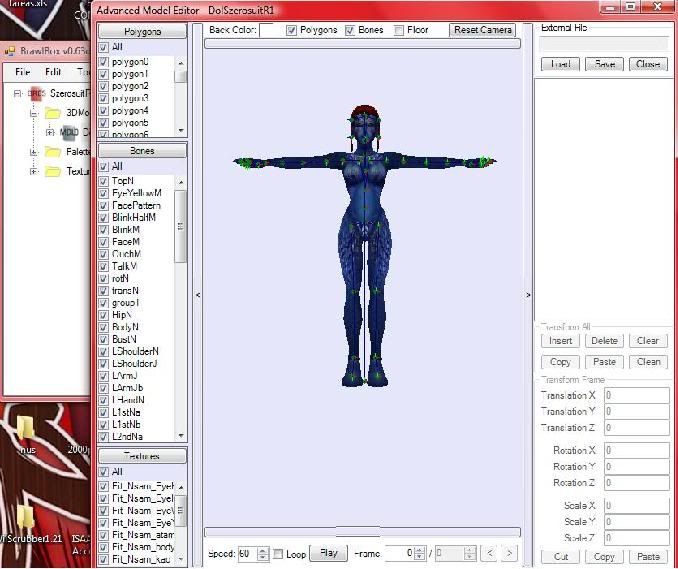
After I change the whole model, I get something like that:


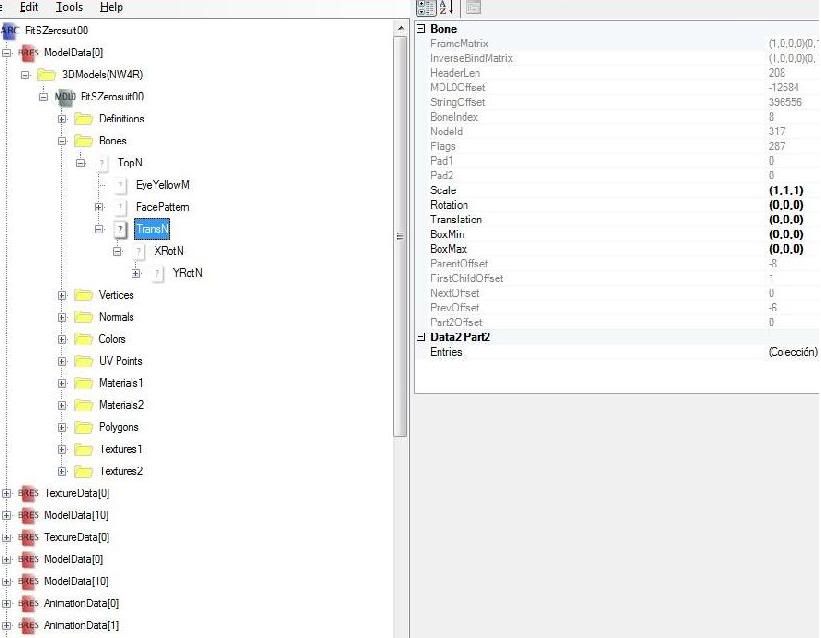
But it doesn't show in the game until I rename some basic bones from this...:


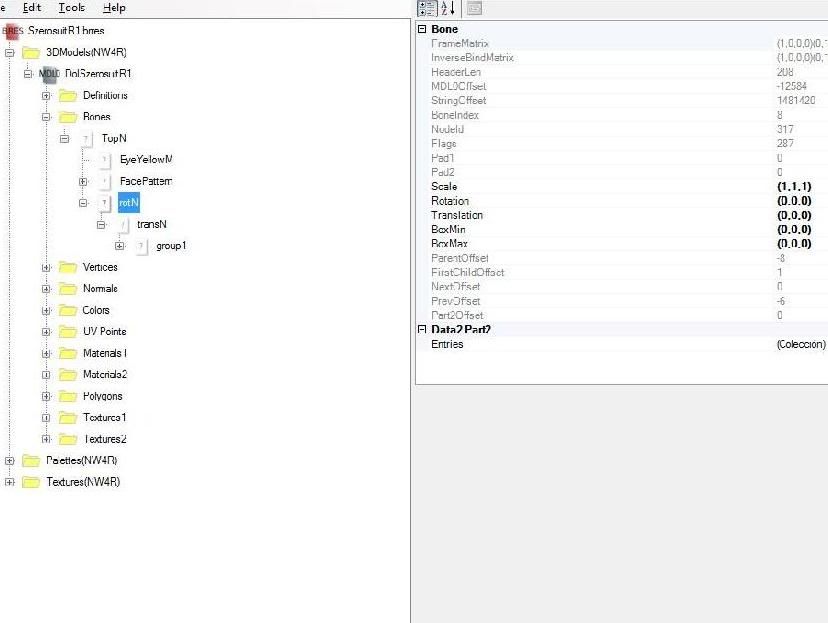
...to this:


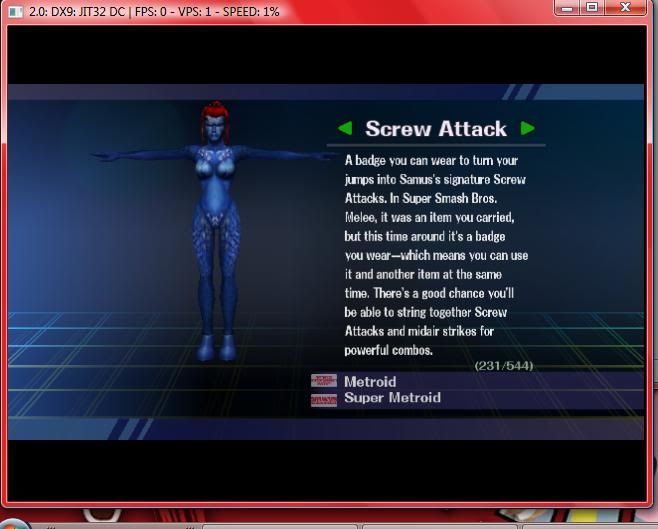
Because the ingame trophies need that names to get recognized and to be positioned correctly. Then I get this, with a great transparency ( on the hair), new model, and all that sexy stuff. Everything is ok, except for the awful posture:


Transparency:


Then I thought I could create a new posture moving the default coordinates from every bone in the model. I simplified that copying the coordinates from any fancy frame in the character animation files. That is FitZSsamusMotionEtc.pac

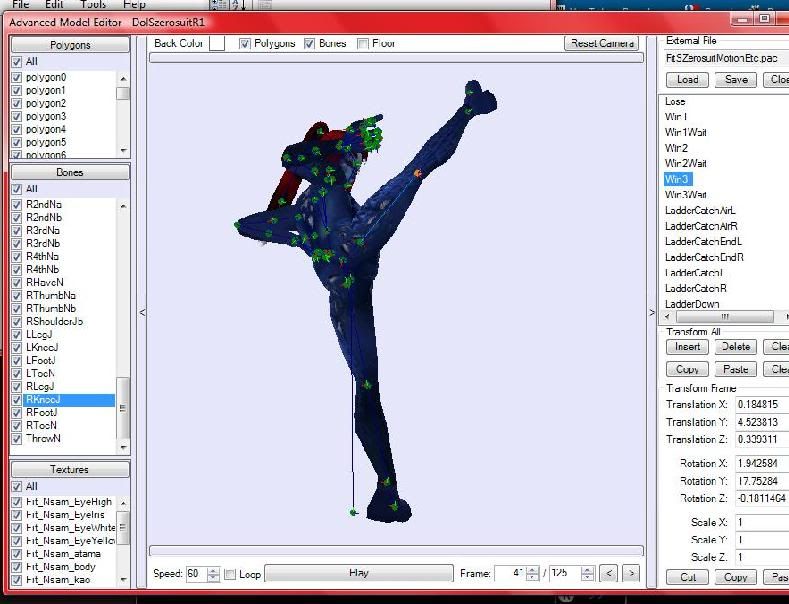
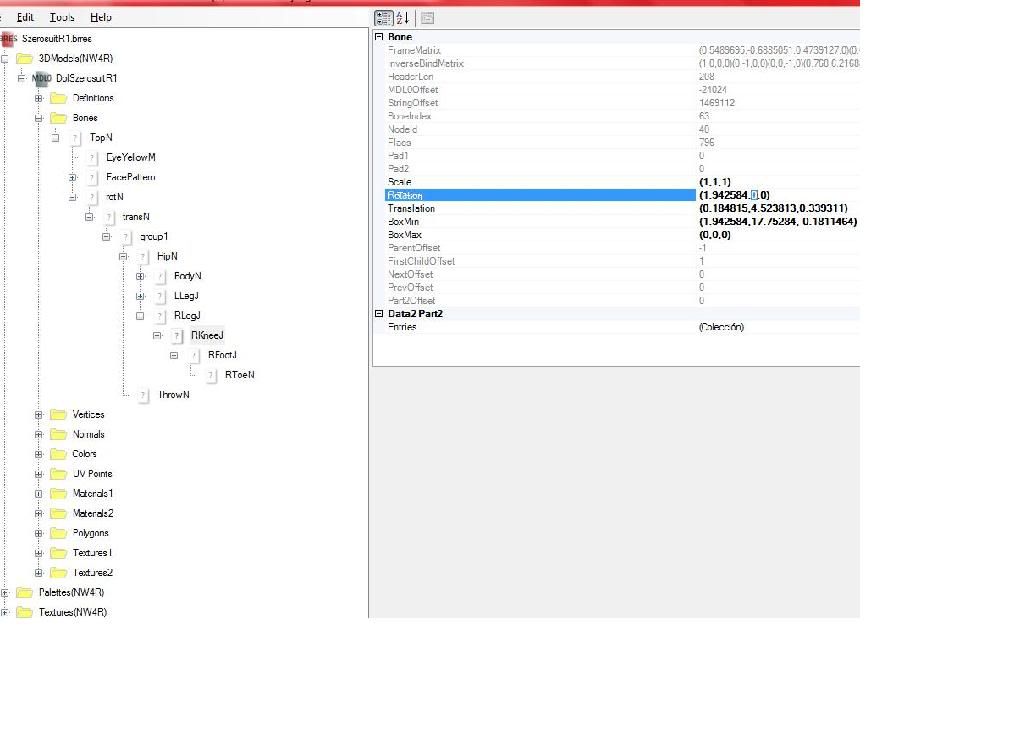
Here you copy the values such as rotation, translation and scale for every bone you want to move:


And you paste them in the default model values, that's important; otherwise using the model previewer you will move the bones but never the textures to their new positions. It looks like this:


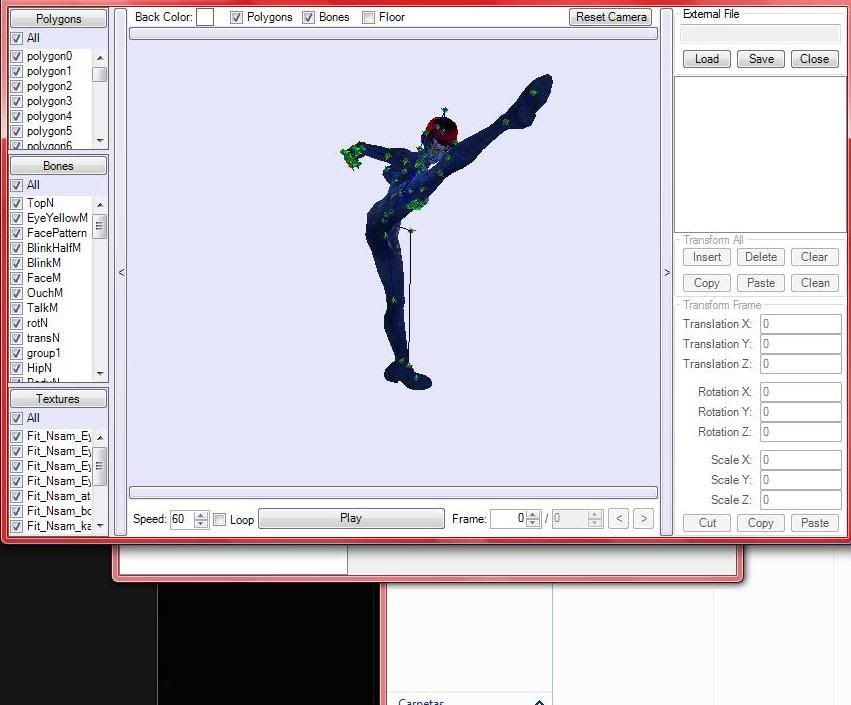
After you change bone per bone the model previewer displays us a better result:


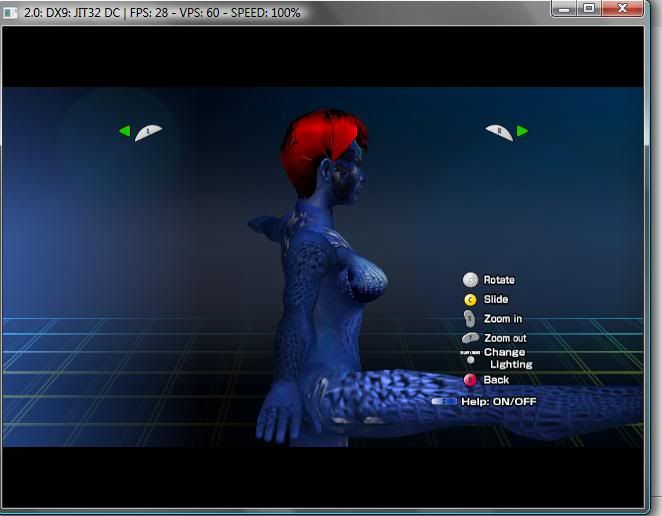
But the [censored]ty game shows a wrong incomplete pose!!! :oshi:
ISN'T IT WEIRD? I had never seen a model which changes from BrawlBox to the game . WTF?


Here is the file i'm using, if you wanna test it: http://www.esnips.com/doc/4215a191-d32a-4f8d-b57f-19a11ea09dd0/SzerosuitR1 (click on the paper-shaped icon to download it)

-----------------------------------------------------------------------------
I would appreciate if you can help me to solve that last thing. After solving that or getting custom models with another method the possibilities would be unimaginable  :af2:

Thanks!
#12
Andarel:

I'm experimenting the same issue, so what I found is that the invisibility problem is caused by the model, not by the textures. Maybe you have noticed that the trophie's models are quite simpler than the ones from the fighters, sometimes, they cannot support transparencies.

A partial solution could be replacing that model with the one used in FitZelda00.pac or .pcs, but you would have to rename and move some bones in order to make it work with a nice pose.

If you want me to explain you those last steps, send me a PM
#13
Help / Re: :-\
July 16, 2010, 02:59:52 AM
If you are using the file replacement code for homebrew loaders, take the advice of renaming it form common5_en.pac to common5.pac
#14
Help / Re: What is this?
July 16, 2010, 02:56:52 AM
I have had that problem downloading comics. That issue is such an error from the page where you download the files.

Just try deleting your cookies, downloads, and keep trying to download after a while.
#15
Help / Re: Damage Percent Numbers
July 16, 2010, 02:51:54 AM
The file goes in X:\private\wii\app\RSBE\pf\info2 and should be renamed to info.pac when using the SD.