Menu

Show posts

This section allows you to view all posts made by this member. Note that you can only see posts made in areas you currently have access to.

Show posts Menu

Messages - JordRB

#1
Help / Can't get SD card to work
February 10, 2011, 12:41:17 AM
I don't know what's wrong. I can't get my Riivolution to work and my Wii runs an error when I try to read my SD card. I thought I'd to redo the whole thing, clear the card (put the original files in a .zip and store them on my computer) and see if I can't reinstall the Hackmii and bannerbomb stuff, but I still get the error.

Can anyone help me?
#2
Help / Re: Need help editing stage.
August 18, 2010, 01:23:28 AM
Just bumping this up. Still would like some help with this.
#3
Help / Need help editing stage.
August 16, 2010, 08:44:59 PM
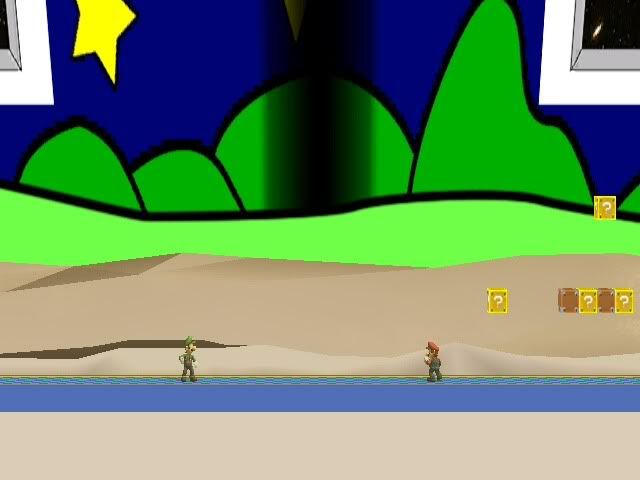
I was trying to turn the Mushroomy Kingdom (1-1) stage into a Toy Time Galaxy stage. I worked hard on making the textures (mostly from scratch) for it. The problem I have is all the white stuff here. V

I left the textures for these things blank, hoping it would make them transparent. I event went and deleted the polygons for those things. But I still get those white hills. Is there anything I can do to get rid of them?
#4
Help / Re: Need some help/pointers with blender.
August 11, 2010, 11:22:13 PM
Quote from: Tcll on August 11, 2010, 11:09:00 PM
what blender version do you use??
it should be blender 2.49 with Python 2.6 installed[/unquote]

The Blender I do have is 2.49. But the Python is actually 2.7.

QuoteI've never heard of colladaimport14.py

I found that looking for something to import .daes into Blender. I forgot where I got it, though.
#5
Thought it might have been a long time since anyone saw this thread, so I thought I'd bump it up. Nothing much else.
#6
Help / Re: Need some help/pointers with blender.
August 11, 2010, 09:47:20 PM
Sorry I'm bumping this poll up. I was really busy with something.

I still can't import a .DAE into Blender. Whenever I go to "File > Import > COLLADA 1.4 (.dae)", the message "Cannaot find folder | Please set path in file "colladaimport14.py" keeps popping up. And when I try to import it with the "Collada 1.4.1 Importer (.dae)," when I select the .dae (the one I made with the AiS, i think) and try to import it, my Blender crashes.

And I have the files Tcll mentioned in the exact folder. I don't know what I'm doing wrong.
#7
Help / Re: Need some help/pointers with blender.
August 08, 2010, 04:28:15 PM
Quote from: Tcll on August 08, 2010, 02:24:00 AM
what's the file it's reporting missing?? collada.dom??
that should be in the same directory as the py

By "Collada.dom" do you mean a folder called "colladadom" or is that an exact file? The importing stuff  I got didn't have the dom, so I googled it, and the "Document-Object-Model" dom was the only thing I could find. And I did put that in the same folder as the colladaimport14.py.
#8
Help / Re: Need some help/pointers with blender.
August 08, 2010, 02:14:42 AM
I still don't know what I'm doing wrong. Every time I try to use the "import > Collada 1.4", a message that says "Cannot find file| Please set path in "colladaImport.py"" keeps popping. I put the file in the Blender folder in "Application Data"

what am I doing wrong?
#9
Help / Re: Need some help/pointers with blender.
August 08, 2010, 01:23:02 AM
Well, I've done everything up to the "triangles" and saving the dae. Now the problem is I can't import it in. I got the collada plugins, but I don't think I have them set up right/in the proper folder.
#10
Help / Re: Need some help/pointers with blender.
August 08, 2010, 12:38:33 AM
What's AIS? I downloaded William's Converter, but I can't seem to find the AIS thing.
#11
Help / Need some help/pointers with blender.
August 07, 2010, 12:34:08 PM
Can anyone help me with some steps on how to use Blender? I've been doing everything I see in this video: https://www.youtube.com/watch?v=http://www.youtube.com/watch?v=_zZUss7H5Ck
But I can't really do anything. It doesn't help that the obj I import to Blender are all a bunch of dots.

A Couple questions I have to ask is...
A) How do I import the actual Brawl Character into Blender. I've seen some videos on Youtube that has actual characters in it.
https://www.youtube.com/watch?v=http://www.youtube.com/watch?v=WGtVsZdU6DQ&feature=channelhttps://www.youtube.com/watch?v=http://www.youtube.com/watch?v=QsVyF573tAM&feature=channel
And B) Is it possible to take a part of a character (like Metaknight's wings) and put them on a different character? I was planning on doing that.

If anyone can help, I'd appreciate it.
#12
Quote from: DocStrange on August 04, 2010, 05:22:13 PM
Are you using the rel correctly? It should go in pf/module and be named st_famicom.rel

Oh. Did not know that. I'll try to do that. Thanks.
#13
If anyone out there can help me, I have a problem with this download. VVV
-------------
http://forums.kc-mm.com/Gallery/BrawlView.php?Number=5863

I downloaded the stage, and placed it on my SD card. Then I changed the name of the file to "STGFAMICOM.PAC." But whenever I chose the stage, my game freezes before it comes up. Can anyone tell me what's wrong? Please?
#14
@flammable: Glad you like Fire Samus.

@ cw_asuka: Yeah, she does look pretty creepy.
#15
How's everyone doing? I just thought I'd make a thread of my edits to show them to anyone who's interested. If you like one of them or all, please reply and let me know.
Quick Edit: Added the links to the download.
Another Quick Edit: Acually read the Posting Guidelines and linked the screenshots with the previews like it said.

FIRE SAMUS

(Thank Pinaco for these screenshots)
This I got the inspiration from seeing Fire Sonic on Super Mario Bros. Z. Now this intergalatic bounty hunter has some real fire power in her suit.

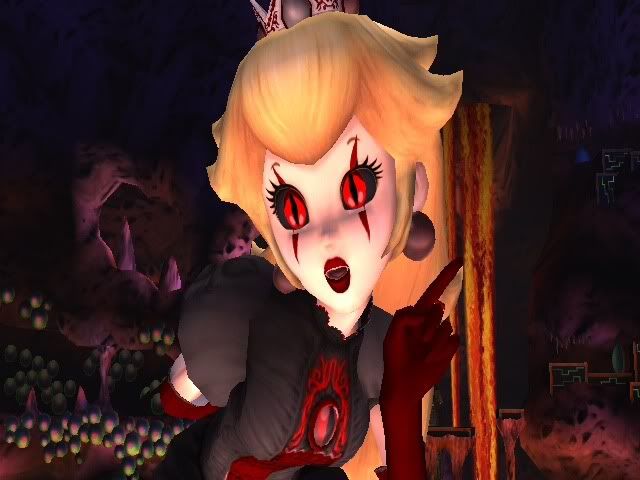
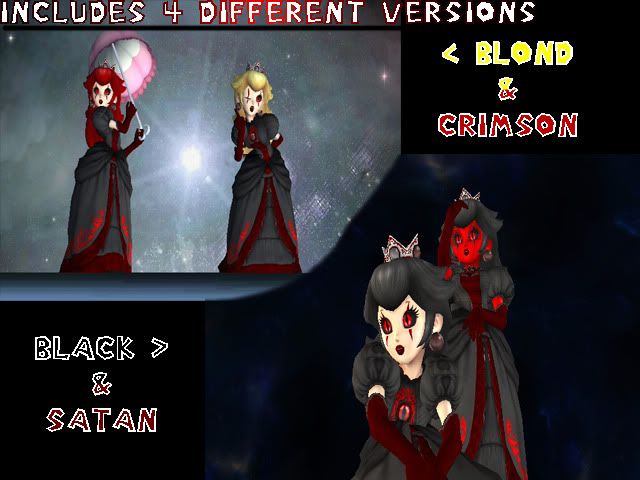
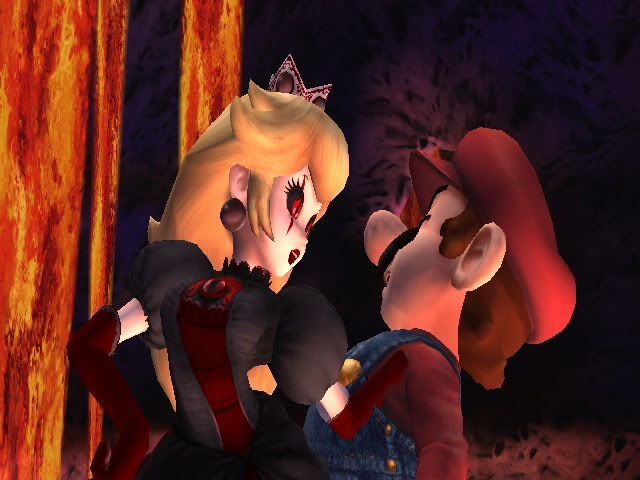
>DDEMON PEACH >D

Comes with 4 different hair colors/skin colors.
After numerous times being kidnapped by Bowser, the dear princess decided enough was enough, and converted her body to demonhood. What'll happen to the Mushroom Kingdom now, it won't be good.

Hope you all enjoy.